

Description
Download BCIpass – BCInet access, secure authentication, mobile banking, digital signature, fingerprint login, face ID login, mobile security, financial app, digital banking
Overview
BCIpass is a mobile application developed by BCI designed to provide secure access to BCInet account management and related financial operations. The software serves as a digital authentication tool, enabling users to securely log in to their BCInet accounts and validate transactions through biometric or personal code verification. It is tailored for individuals who require a reliable, fast, and secure method to manage their financial activities on the BCInet platform.
Target users include retail banking customers of BCI who engage in online transactions such as fund transfers, beneficiary additions, and account monitoring. The application replaces the previous DIGIpass system, offering a modernized approach to digital security and user convenience. By integrating fingerprint and face ID authentication, BCIpass enhances the protection of sensitive financial data while streamlining the login and validation process.
Real-world usage scenarios include accessing BCInet from a mobile device during travel, authorizing a transfer with a biometric signature, or managing multiple BCInet accounts from a single interface. The app supports both Android and iOS platforms, ensuring broad accessibility across mobile devices. The developer did not provide additional system requirements.
Key Features & Capabilities
- Biometric Authentication – Users can log in to BCInet using fingerprint or face ID, reducing the need to remember complex passwords and improving login speed.
- Digital Signature Generation – The app allows users to generate secure digital signatures for transaction validation, such as fund transfers or adding new beneficiaries.
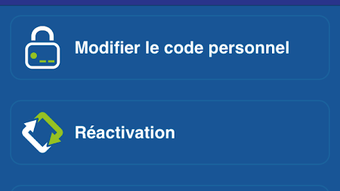
- Personal Code Access – For users who prefer traditional methods, the application supports login via a personal code chosen during activation.
- Multi-Account Management – BCIpass enables users to manage access to multiple BCInet accounts from one interface, enhancing convenience for individuals with diverse financial profiles.
- Secure Password Generation – The app generates temporary, secure passwords for BCInet access, ensuring that login credentials are protected and time-limited.
These features collectively support secure, efficient, and user-friendly access to banking services. For example, a user can authenticate a transfer in seconds using face ID instead of entering a static password. Another user may manage accounts for themselves and family members through a single app interface. The application’s design prioritizes security without compromising usability, aligning with modern mobile banking expectations.
User Interface, Workflow & Performance
BCIpass features a clean, intuitive user interface optimized for mobile use. Navigation is straightforward, with clearly labeled sections for login, transaction validation, and account management. The workflow is designed to minimize steps required to complete critical tasks, such as generating a signature or accessing an account.
Users can initiate authentication with a single biometric scan, significantly reducing friction in the login process. The app’s responsiveness is consistent with standard mobile application behavior, though exact performance details were not specified. Stability appears to be a priority, as the application is designed for high-security operations where reliability is essential.
The developer did not specify resource usage details, including CPU or RAM consumption. However, the app’s size of 12.4 MB suggests it is lightweight and optimized for efficient operation on modern smartphones. General software behavior patterns indicate that the app maintains low background activity to preserve battery life and system performance.
Compatibility & System Requirements
BCIpass is available for both Android and iOS operating systems, ensuring compatibility with a wide range of mobile devices. The software version is 1.0.1, and the installation size is 12.4 MB. This indicates a compact footprint, suitable for devices with limited storage capacity.
Exact system requirements were not listed. Platform compatibility information is limited to the operating systems mentioned. Users are advised to ensure their device meets the minimum requirements of their respective OS version. The developer did not provide additional details about hardware or software prerequisites.
Pros and Cons
Pros
- Supports biometric login via fingerprint and face ID for faster, secure access.
- Enables digital signature generation for transaction validation.
- Allows management of multiple BCInet accounts from one interface.
- Free to download and use, with no upfront cost.
- Replaces the older DIGIpass system with a modern, user-friendly alternative.
Cons
- Platform compatibility details are limited to OS names without version specifics.
- Exact performance and resource usage data were not provided.
- Requires initial activation and personal code setup, which may be unfamiliar to some users.
- Functionality is tied exclusively to BCInet, limiting broader use cases.
FAQ Section
Is BCIpass available for both Android and iOS?
Yes, BCIpass is available for both Android and iOS platforms, allowing users to access BCInet services from a wide range of mobile devices.
Is the app free to download and use?
Yes, BCIpass is available at no cost. There are no subscription fees or in-app purchases required for core functionality.
Can I use BCIpass without a personal code?
No, a personal code is required during activation. This code is used as a fallback authentication method and is essential for initial setup and account access.
Does BCIpass work offline?
While the app may support some functions offline, such as biometric authentication, full functionality requires an active internet connection to communicate with BCInet servers.
What type of license does BCIpass use?
BCIpass is distributed under a proprietary license. Users are granted a non-transferable license to use the application for personal and authorized financial operations.
Final Thoughts + CTA
BCIpass represents a significant step forward in secure mobile banking access, combining biometric authentication, digital signature generation, and multi-account management into a single, streamlined application. Its focus on security and convenience makes it a valuable tool for BCI customers who rely on BCInet for daily financial operations.
While detailed technical specifications are limited, the app’s design, functionality, and free availability position it as a strong alternative to legacy systems. It is particularly beneficial for users seeking faster, more secure access to their banking services without the hassle of managing multiple authentication tools.
For anyone using BCInet, BCIpass offers a modern, reliable, and efficient way to manage their financial activities on the go. Download BCIpass now.
Guides & Tutorials for BCIPass APK
How to install BCIPass APK
- Click the Preview / Download button above.
- Once redirected, accept the terms and click Install.
- Wait for the BCIPass APK download to finish on your device.
How to use BCIPass APK
This software is primarily used for its core features described above. Open the app after installation to explore its capabilities.
User Reviews for BCIPass APK 0
No reviews found





